


Welcome to The GTM Engineering Newsletter. Hi, I’m Alex, one of the first GTM Engineers at Clay. Subscribe to skill up on GTM Engineering, AI, and learn about the most interesting startups impacting GTM. You’ll be in good company with join 7,600+ GTM operators, founders, and investors from OpenAI, a16z, Figma, and Clay.
I’m exited to announce the GTM Engineering & AI YouTub channel.
The Clay Studio team and I have a TON of content planned - all focused on the future of GTM, how to use AI, experiments we’re running, and interviews with incredible founders. Upcoming topics include:
GTM Engineering benchmarks
How Lovable uses Lovable
Self optimizing ad campaigns with agents
Learning loops in GTM
A startup working towards automating businesses full-stack with AI. They want to be the first company to help a solo entrepreneur build a billion dollar business!
Interview with the founder of AgentMail as a follow up to this post
We are gonna cook!
Back to regularly scheduled programming…
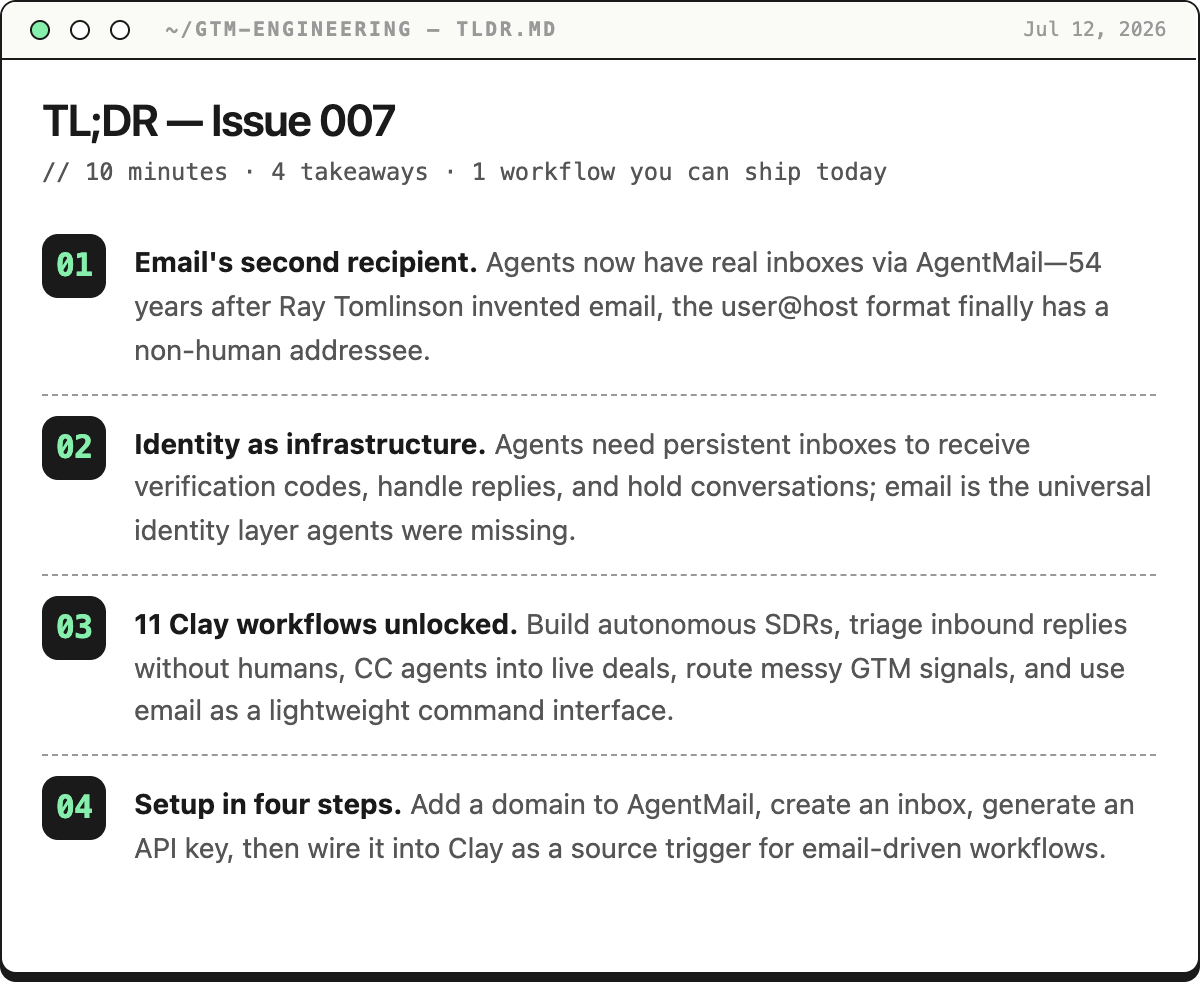
A brief history of email
The most consequential piece of digital communication in history was sent by someone who wasn’t supposed to be working on it — and the message itself was so forgettable he couldn’t even remember what it said. What he accidentally invented in that moment still runs every inbox on Earth, and until about a year ago, it had never had a second kind of recipient.

In late 1971, a programmer named Ray Tomlinson was tinkering in a Cambridge, Massachusetts lab at a company called Bolt, Beranek and Newman — a government contractor building ARPANET, the precursor to the internet. His actual job was helping route data across the network.
But he’d gotten curious about a simpler problem:
People could already leave messages for each other on the same computer, but there was no way to send a message to someone on a different machine.
He wheeled his chair between two PDP-10 computers sitting roughly ten feet apart, typed a test message on one, rolled over, and checked if it arrived on the other. It did.
To make it work, he needed a way to separate the person’s name from the machine they were on. He scanned the keyboard for a character that wouldn’t appear in anyone’s name. He landed on @. “I thought about other symbols,” he later told Forbes, “but @ didn’t appear in any names, so it worked.” It was a practical decision made in seconds. The format he created — user@host — remains the global standard for every email address on Earth today, more than half a century later.
The message he sent? ”The test messages were entirely forgettable and I have, therefore, forgotten them,” he said. Probably “QWERTYUIOP.” He showed the system to his colleague Jerry Burchfiel and his first instinct wasn’t pride — it was caution.
”Don’t tell anyone,” he said. ”This isn’t what we’re supposed to be working on.”
Within two years, a study by ARPA found that 75% of all traffic on the network had become email. The infrastructure built to share computing resources and scientific data was being used, overwhelmingly, for people to talk to each other. The killer app of the internet wasn’t computation. It was conversation.
For 54 years since that moment, the fundamental shape of email never changed. A human writes. A human reads. A human responds.
2025 agents enter the email thread.
They now have email, too.
Say hello to AgentMail.
2026 last week - Clay integration with AgentMail is live!
What does AgentMail do?

AgentMail is purpose-built email infrastructure for AI agents. Not AI for your email. Email for your AI.
Every tool in your GTM stack that touches email right now is a one-way pipe. Smartlead sends. Outreach sequences. Klaviyo broadcasts. None of them give your agent a persistent inbox — a place to receive, thread, reply, and remember.
AgentMail provisions real inboxes via API. One customer alone runs 25,000 inboxes through the platform, handling millions of emails. It handles deliverability, spam prevention, proper email headers, and threading.
Why do agents need an email?
Here’s an example:
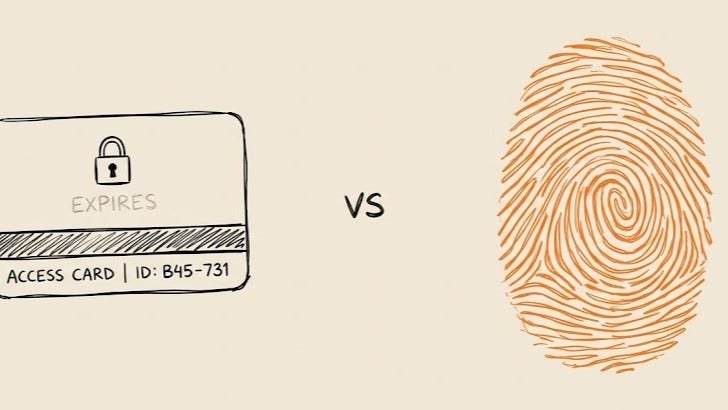
Browser Use is the open-source framework that gives AI agents control of a web browser — 96,000+ GitHub stars, used by Fortune 500 and YC teams to automate real tasks on real websites. They hit a wall that had nothing to do with browser control: the moment a site asked an agent to check its email — a signup confirmation, an OTP code, a 2FA prompt, a password reset — the run just stopped. The agent had no inbox to receive anything, so a human had to step in and paste a code. The bottleneck was never the browser. It was identity.
Browser Use’s fix was to give every session its own AgentMail inbox, automatically, no config required. Tell the agent to sign up for a service, and it creates an inbox, fills in the form, waits for the verification email, confirms the account, and keeps going — no human, no pause. The same primitive — a real inbox an agent actually owns — that unblocks a browser agent stuck on a verification screen is what unblocks a Clay table that’s been able to send email but never receive it.
"AI agents are already starting to function as virtual employees across industries. These agents need their own identity, and email is the heart of identity on the internet. Traditional identity services were not built with agentic use cases in mind, and AgentMail is building that part of the stack, starting with email. The team's clarity of vision and speed of execution stood out to us immediately."
— Yuri Sagalov, Partner at General Catalyst

What makes AgentMail + Clay such a special combo?
The thing that makes this different for Clay specifically: before today, email was only ever an output from a Clay table. You could send from Clay. But you couldn’t receive. You couldn’t trigger a Clay workflow when someone replied, signed up, submitted a form, or sent anything back.
That changes now. Your Clay table can have its own inbox — and that inbox can kick off workflows, update rows, classify intent, route to CRMs, and trigger actions the moment an email arrives.
Here’s what that opens up.
11 Clay use cases with AgentMail
1. Build an AI SDR in Clay
AISDR runs autonomous SDR agents at scale on AgentMail with roughly 500 inboxes in production and 7,000 emails per week, no human in the loop.
You can now build this in Clay.
Build a table enriches and scores prospects, generates a personalized first-touch via Claude, and fires it through an AgentMail inbox. When a prospect replies, a webhook fires, Claude classifies the intent — interested, objection, referral, not now — and the agent responds within the same thread. A human AE only gets a Slack ping when there’s a live buying signal in the thread.
2. Measuring speed to response for form fills
We have the speed to lead GTM Engineering benchmark coming up. We used Subconscious.dev agent to fill out thousands of B2B web forms (contact us, demo request, etc.). We couldn’t have done this easily without AgentMail. Subconscious agent provided an AgentMail address as the contact email, logs the submission timestamp, and then the webhook fires when the first response arrives. You now know exactly how fast every company in a given market responds to inbound leads — measured the same way, at the same time, across an entire category. No survey data, no self-reported numbers. Just timestamps.
There’s hundreds of variations to this with forms on the web.
3. Inbound reply handling without a human SDR
This is the minimum viable version most teams should build first.
Right now someone on your team reviews replies every morning and triages manually. That’s a bottleneck where the fastest leads go cold.
Replace it: AgentMail webhook fires on every reply, Claude classifies intent, routes automatically. Interested → drop a meeting link and log to CRM. Not now → set a 30-day snooze. Referral → extract the contact name, create a new Clay row, start a new thread. Unsubscribe → suppress forever, no exceptions.
You still write the first-touch. You just stop doing the triage.
4. CC an agent into a live deal thread
Every AE has live deal threads where context lives and dies in their own inbox — what the prospect said, what was promised, what’s still open. None of that is visible to RevOps until the deal closes or stalls.
CC an AgentMail inbox on the thread. The agent reads every message as it comes in, tracks context across the whole conversation, and can draft follow-ups, suggest next steps, or schedule the next meeting. Every meaningful update gets written back to Clay — what was discussed, what’s outstanding, what changed. RevOps gets visibility without asking the AE for a status update. The AE gets a second set of eyes on a thread that used to be a black box.
5. Forward messy GTM signals into Clay
The signal you need is almost never sitting in a clean database. It’s a newsletter mention, an ICP list someone shared in Slack, an intro email, an event attendee list, a funding alert, a job-change notification — all landing in someone’s personal inbox and going nowhere.
Forward any of it to an AgentMail inbox instead. AgentMail turns the email itself into a workflow trigger — it doesn’t matter if the body is a forwarded newsletter or a pasted spreadsheet. Clay picks it up, enriches the people and accounts mentioned, segments them, and routes them into the right GTM motion. The inbox becomes the front door for every messy, unstructured signal your team already has — instead of letting it die in someone’s forwarded folder.
This is one I built for a rep selling financial services at UBS to startup founders. I used AgentMail to turn PitchBook emails into automated signal → outbound workflow.
6. Reply-based outbound automation
This is the more general version of use case #3, and it’s worth building even if you already have a triage process, because the classification logic is where most teams under-invest.
When a prospect replies to an outbound campaign, AgentMail captures the response and classifies it — positive, not interested, OOO, referral, needs follow-up. From there, Clay enriches the account with whatever’s missing, assigns an owner if one doesn’t exist yet, and hands the rep (or the agent) everything needed to draft the next reply with full context. The output isn’t just a routed lead — it’s a fully prepped next move.
7. Email-native meeting prep
The annoying part of meeting prep isn’t the research — it’s remembering to do it before every single call, especially the ones that get added to your calendar with two hours’ notice.
Forward the prospect or customer thread to an AgentMail inbox before the call. Clay generates an enriched account brief on the back end: company context, the relevant stakeholders, recent signals (funding, hiring, product launches), known pain points, and suggested talking points based on what’s already been said in the thread. By the time you open your calendar invite, the brief is sitting in your inbox.
8. Per-account research agents with persistent inboxes
Most enrichment is pull-based — you query an API and get back whatever’s cached at that moment. This inverts it. Spin up a dedicated inbox per target account, and have the agent subscribe to that company’s competitor newsletters, product announcements, job change alerts, and press releases on its behalf. When something lands, the webhook fires and updates the Clay row in real time.
You’re not scraping anything. You’re building a listening layer per account that gets smarter the longer it runs.
This one is on my to do list to build & try out.
9. Two-way partner channel management
Channel programs break at scale because the coordination overhead per partner eats the margin. Build an agent that manages a partnerships@yourdomain.com inbox: receives partner lead submissions, extracts structured data, routes to the right AE with context, sends a professional acknowledgment, and logs to CRM.
The agent holds the thread and only surfaces a human when the deal is warm enough to need one.
10. A lightweight GTM command inbox
Sometimes the fastest interface isn’t a tool, it’s an email. A rep or operator emails a plain-language request to an AgentMail inbox — “enrich these companies,” “find me 20 accounts that look like this one,” “prep these leads for tomorrow” — and Clay handles the enrichment and workflow execution on the back end, replying in the same thread when it’s done.
No login, no new tab, no learning a new interface. The inbox is the UI. For non-technical reps especially, this collapses the gap between “I know what I want” and “I know how to ask the system for it.”
11. Multi-agent coordination via email threads
The most architecturally interesting use case. Instead of building complex orchestration infrastructure to pass state between agents, use email threads as the shared memory layer.
Research agent drops enriched prospect context into a thread. Outbound agent picks it up, writes and sends the first-touch. Reply-handler watches the inbox, classifies responses. CRM sync agent reads the thread and updates Salesforce. Each agent has its own inbox. The thread is the handoff protocol.
Email becomes the message bus. It’s already universally understood, persistent, and standardized. Using it for agent coordination instead of building something custom from scratch is exactly the kind of move that looks obvious in retrospect.
Emails give agents an identity
Clay has been adding more and more purpose-built agents — research agents, enrichment agents, outbound agents. Every one of them has had the same missing piece. They could act, but they couldn’t be reached. They had no address.
That’s the gap AgentMail closes, and it’s bigger than any single use case above. Agents now have an identity. It can be CC’d. It can be replied to. It can hold a conversation across days or weeks without losing the thread, literally. Once every agent in your stack has that, the whole category of “things only a human could do because only a human has an inbox” starts to shrink.
Btw Agents just got phone numbers, too:

Where this goes next
A few things worth watching, because they’ll shape how fast this category moves.
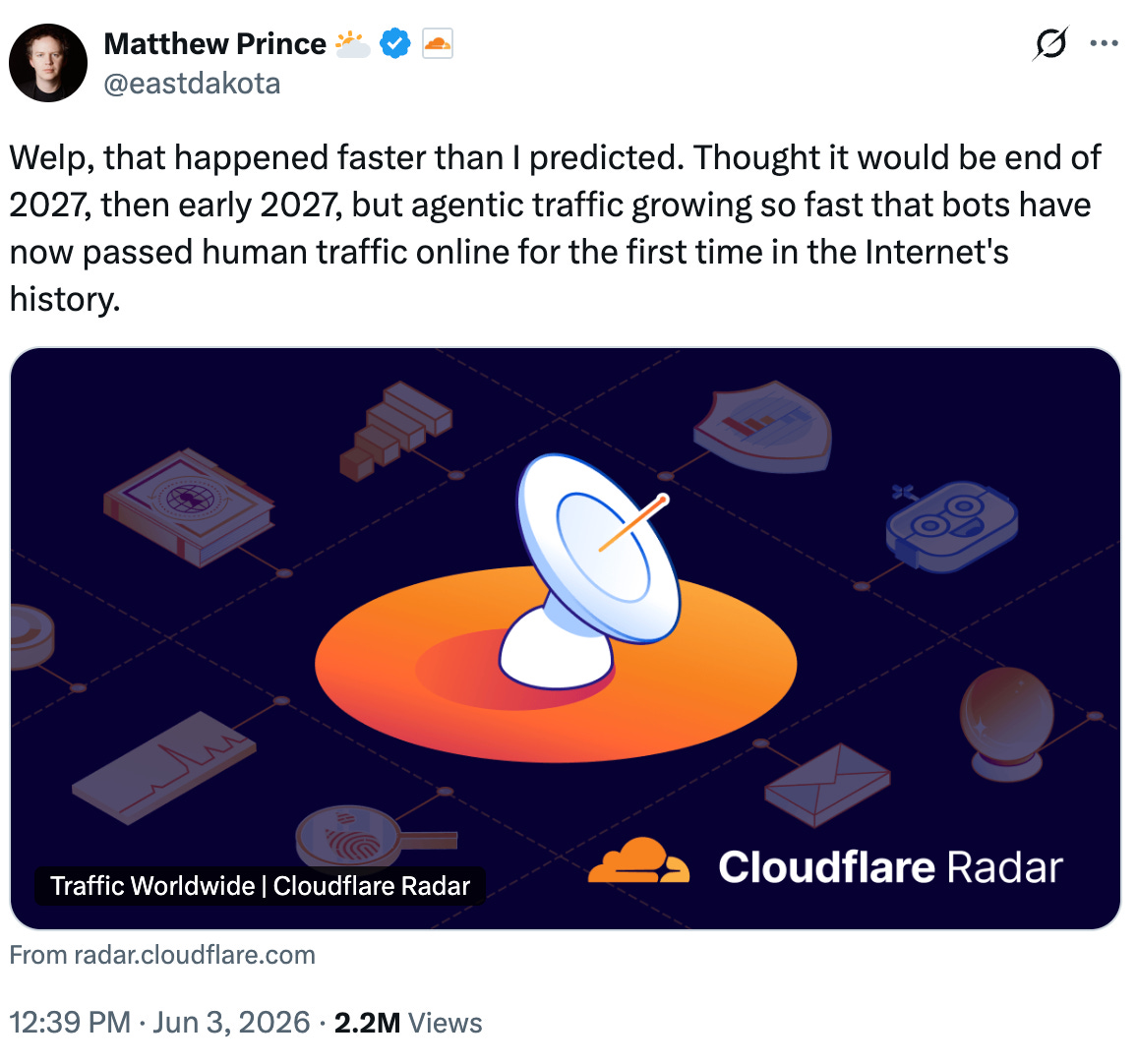
Agent traffic is already outpacing human traffic, faster than anyone predicted. Cloudflare tracked agentic AI traffic growing nearly 80x over the course of 2025, and crossed the point where bot traffic exceeds human traffic about a year and a half earlier than its own CEO had forecast. The agents showing up in inboxes aren’t a future trend to plan for. They’re already the majority of the traffic.
Email is the first layer of a much bigger identity stack, and the people building this know it. Email is the start, not the finish. As agents take on more of what humans currently do, they’ll need credentials, reputation, and trust — the fuller architecture of an online identity — not just an inbox.
The next billion internet users are already arriving, and they’re agents that just need somewhere to receive their mail. Inbox first, then the rest of what identity requires.
Standards for proving who an agent is are showing up faster than most people realize. Google’s Agent-to-Agent protocol, OpenID’s extension for agent identity (OIDC-A), and a wave of academic work on delegation chains and cryptographic agent verification are all trying to solve the same problem from different angles: when an agent shows up in your inbox claiming to represent a company, how do you know it’s telling the truth? Nobody’s fully solved this yet. Whoever does will own a meaningful piece of how every agent-to-business interaction gets trusted.
Security is the open wound, and it’s GTM’s problem too, not just engineering’s. Prompt injection through email is a real, demonstrated attack vector — a malicious actor can craft an email specifically to manipulate the Claude prompt reading it, not just the human. Any team building reply classification or autonomous response logic needs to treat every inbound email as untrusted input, the same way a developer treats user input on a web form.
The winners will be the teams that treat the agent’s inbox as infrastructure, not a feature. Every prediction above points the same direction: agents are going to need persistent, verifiable, increasingly trusted identities, and email is the first and most universal piece of that. Teams that build on top of that primitive now — rather than waiting for a fully-baked, all-in-one platform — will have a multi-year head start by the time this becomes the obvious way every GTM team operates.
How to setup ‘email as a source’ in Clay with AgentMail
1. Setup an AgentMail account
Complete the following steps in your AgentMail account before connecting to Clay.
Sign up at agentmail.to and open the dashboard.
Add a domain. In the AgentMail dashboard, add the domain or subdomain you want to send and receive from. AgentMail will generate DNS records (MX, SPF, DKIM, DMARC) for you to add to your domain manager.
If your root domain already receives mail through Gmail (Google Workspace) or Outlook (Microsoft 365), its MX records already point to that provider. A domain’s MX records can only point to one mail server, so you cannot also route it to AgentMail. Use a dedicated subdomain instead (e.g.,
inbox.yourdomain.com).
Add the DNS records. Copy the records AgentMail generates into your domain manager exactly as shown — type, name/host, and value. DNS propagation can take a few minutes to a few hours. Once the records are in place, click
Verify Domainin the AgentMail dashboard.Create an inbox. Once your domain is verified, create one or more inboxes (e.g.,
sales@inbox.yourdomain.com). This is the live address Clay will listen to.Generate an API key. In the AgentMail dashboard, generate an API key. This is the only credential you need to connect AgentMail to Clay.
For more detail on domain configuration, see AgentMail’s custom domains guide.
2. Create a Clay table and use AgentMail for ‘email as a source’
In a workbook, click
+ Addat the bottom.Search for AgentMail and select it from the results.
In the modal, you will be asked to
Select AgentMail account.If you haven’t already connected your AgentMail account, click
+ Add accountand enter the API key you generated.
You can check out more Clay + AgentMail documentation here.
GTM Engineer role of the week
Honesty, I’m thinking of applying to this one. That’s how cool I think this company is and how much potential it has.
That’s right… AgentMail is hiring a Founding GTM Lead.
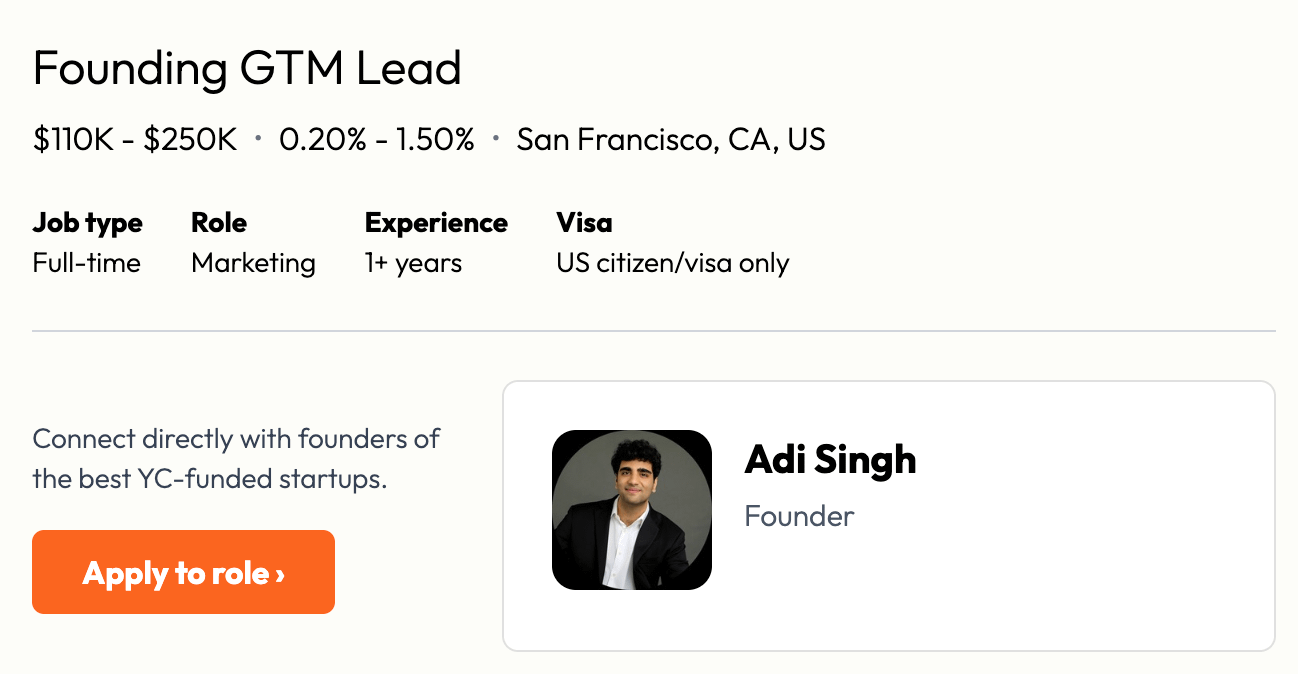
Check out more details here.